System OFF
Overview
The System OFF sample can be used for quiescent power consumption measurement and as an example of deep sleep on the nRF9151 Connect Kit.
Requirements
Before you start, check that you have the required hardware and software:
- 1x nRF9151 Connect Kit
- 1x nano-SIM card with LTE-M or NB-IoT support
- 1x U.FL cabled LTE-M/NB-IoT/NR+ Flexible Antenna (included in the box)
- 1x U.FL cabled GNSS Antenna (included in the box)
- 1x USB-C Cable
- A computer running macOS, Ubuntu, or Windows 10 or newer
- 1x DC Power Source
- 1x Digital Multi-Meter
Set up your board
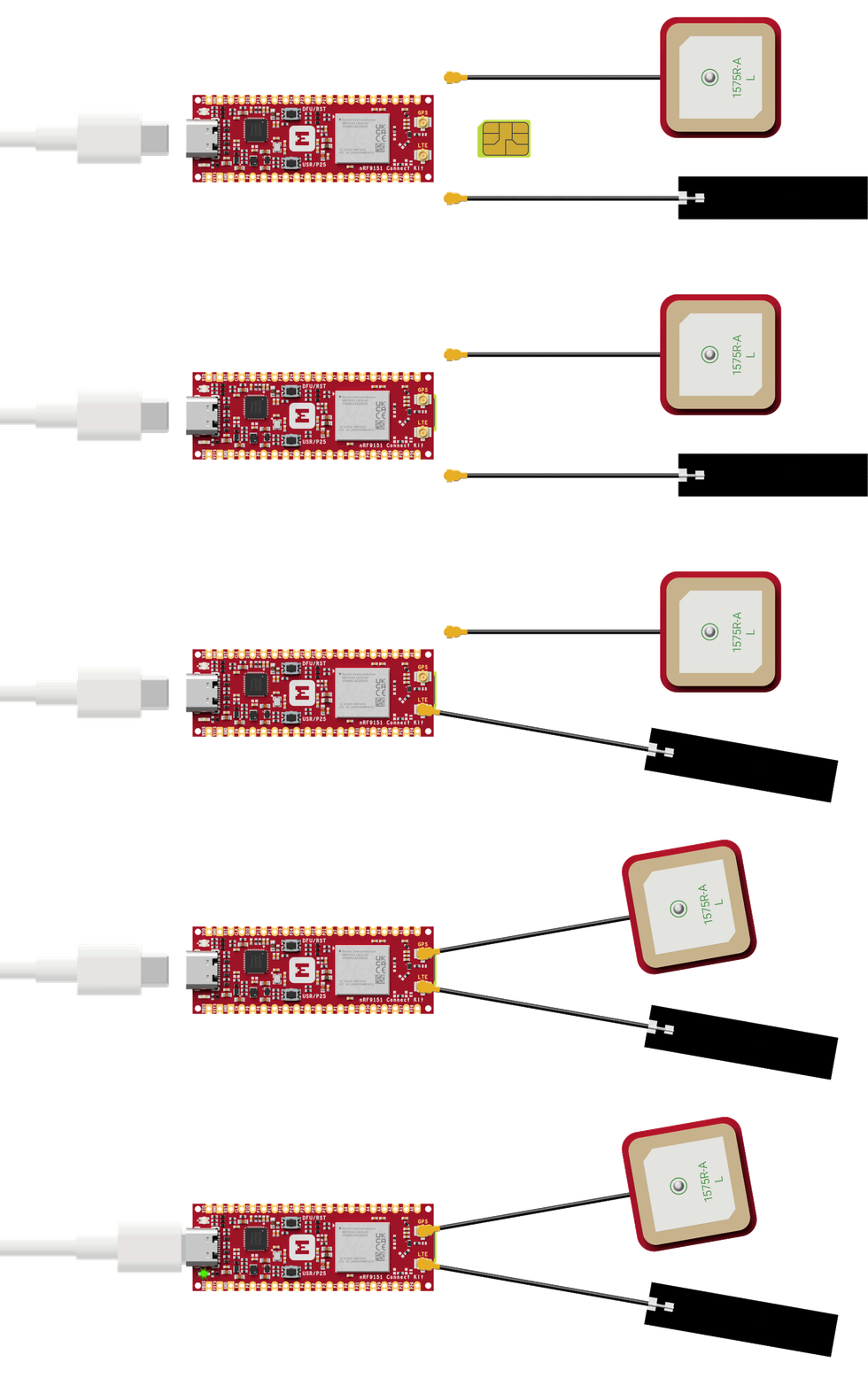
- Insert the nano-SIM card into the nano-SIM card slot.
- Attach the U.FL cabled LTE-M/NB-IoT/NR+ Flexible Antenna.
- Attach the U.FL cabled GNSS Antenna.
- Connect the nRF9151 Connect Kit to the computer with a USB-C cable.
Building the sample
To build the sample, follow the instructions in Getting Started Guide to set up your preferred building environment.
Use the following steps to build the System OFF sample on the command line.
-
Open a terminal window.
-
Go to
NCS-Project/nrf9151-connectkitrepository cloned in the Getting Started Guide. -
Build the sample using the
west buildcommand, specifying the board (following the-boption) asnrf9151_connectkit/nrf9151/ns.The
-palways option forces a pristine build, and is recommended for new users. Users may also use the-p autooption, which will use heuristics to determine if a pristine build is required, such as when building another sample.Note
This sample has Cortex-M Security Extensions (CMSE) enabled and separates the firmware between Non-Secure Processing Environment (NSPE) and Secure Processing Environment (SPE). Because of this, it automatically includes the Trusted Firmware-M (TF-M).
-
After building the sample successfully, the firmware with the name
merged.hexcan be found in thebuilddirectory.
Flashing the firmware
Set up your board before flashing the firmware. You can flash the sample using west flash:
Tip
In case you wonder, the west flash will execute the following command:
Testing
After programming the sample, test it by performing the following steps:
-
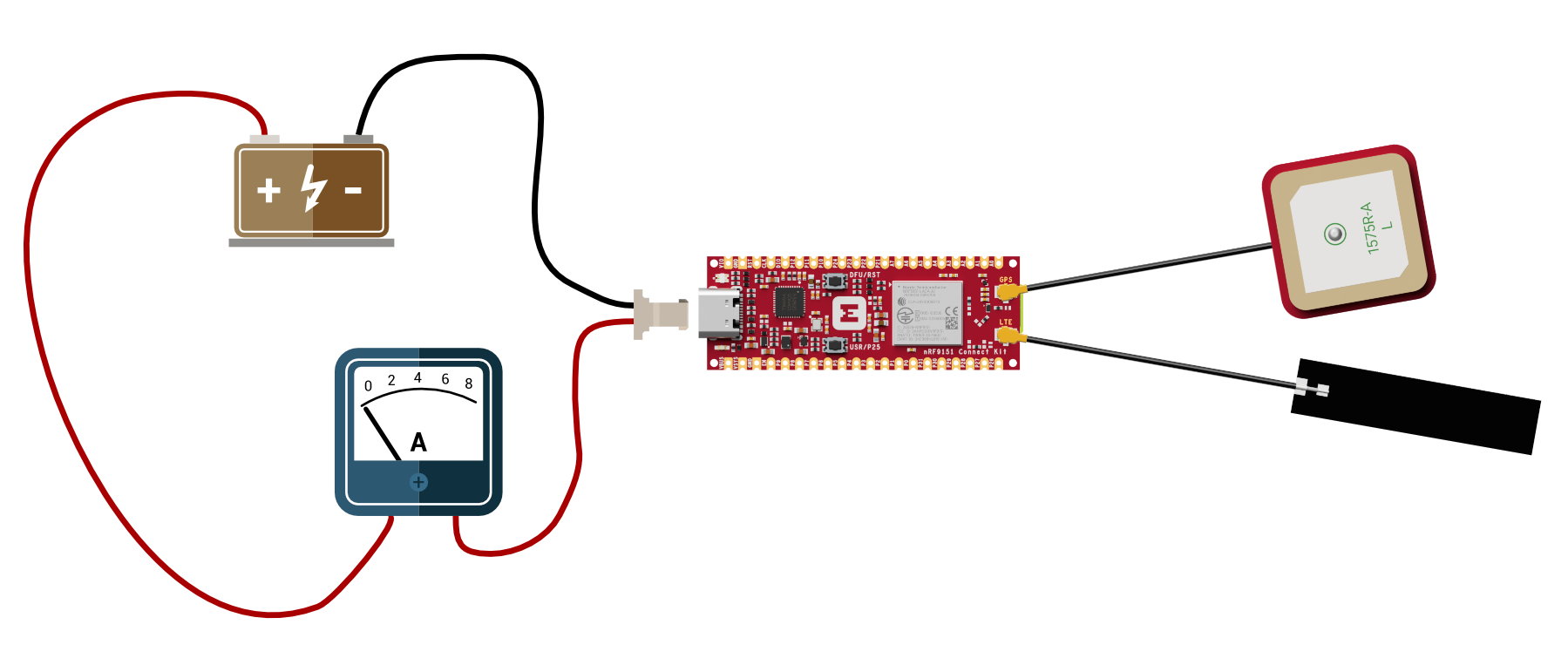
Connect the current measurement circuit as shown in the figure below, and then turn on the power supply.
-
Obtain the current reading from the digital multimeter. In System OFF mode, the typical current consumption is approximately 6 μA.